
Nora AI for Magento 2 User Guide
Shoppers want answers without digging through CMS pages. This overview covers Nora AI ($199/mo)—floating storefront chat, signed-in order help, Live Chat handoff, and Agent Hunter. Full technical docs remain on the wiki (PDP User Guide stays wiki-primary).
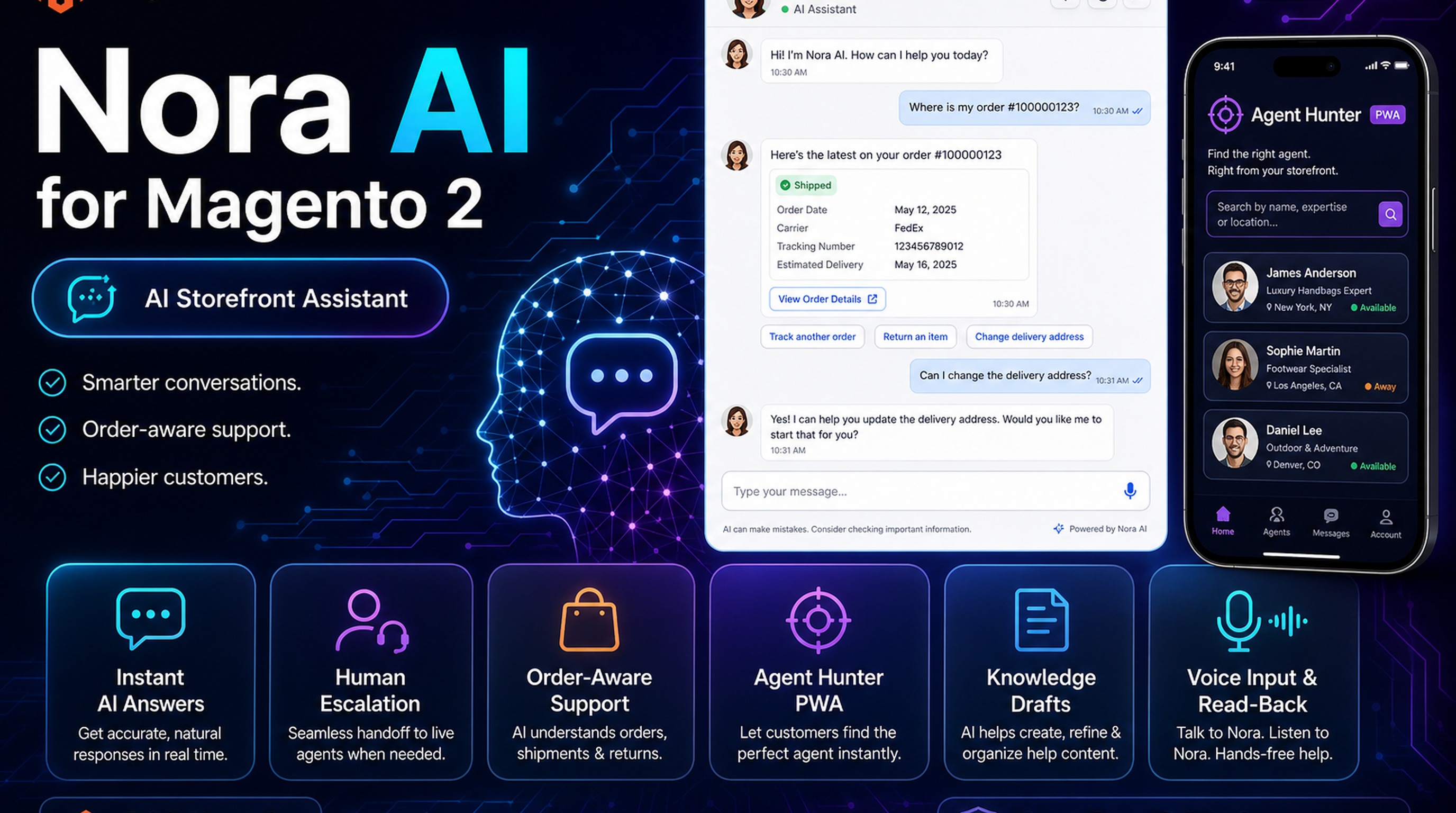
Detailed technical docs live in the wiki documentation. Product details and licensing are on the Nora AI for Magento 2 page.
Table of Contents
Why Magento Needs an Always-On Assistant
Support tickets pile up with questions Magento already knows:
- Repetitive FAQs — shipping, policies, and product basics
- Order anxiety — signed-in customers want status without emailing support
- No handoff — pure bots frustrate shoppers who need a human
What Nora AI Solves
Nora AI is a branded floating Magento storefront assistant with human escalation paths.
- Instant answers from CMS, catalog, and store config
- Signed-in order help (status, tracking, summaries)
- Live Chat handoff when needed
- Agent Hunter mobile support workflows
Key Features
- Storefront chat widget
- Catalog & policy answers
- Order help for signed-in customers
- Live Chat + Agent Hunter
System Requirements
- Magento: 2.4.4 – 2.4.7+ (Open Source & Adobe Commerce)
- PHP: 8.1, 8.2, or 8.3
- Towering Media Composer repository credentials
- Required: Toweringmedia AI Core
General Composer install steps for Towering Media modules: Installation guide.
Setup Overview
Install AI Core first, then Nora. Use the wiki for widget and knowledge configuration details.
Install with Composer
composer require toweringmedia/module-nora-ai
php bin/magento setup:upgrade
php bin/magento cache:flush
Step 1: Install AI Core + Nora
Require both packages and upgrade Magento.
Step 2: Configure AI Core
Providers, models, and budgets must work before Nora can answer.
Step 3: Enable the storefront widget
Brand colors, greeting, and page visibility in Nora admin config.
Step 4: Follow the wiki
Deep steps: Nora AI wiki.
Need help? Contact Towering Media or browse Magento 2 Extensions.
Frequently Asked Questions
Does Nora work on Hyvä?
Nora is designed for Magento storefronts including Hyvä-compatible deployments—confirm theme integration notes in the wiki.
Can guests get order details?
Guests get product/policy answers. Signed-in customers get read-only help with their own orders.
Where is the full guide?
See the Nora AI wiki.
Related Extensions & Resources
Also useful: Installation · Contact support · All Magento 2 extensions
Want our Magento team to handle it?
Towering Media installs, configures, and customizes Nora AI for Magento 2 stores — along with custom Magento 2 module development, AI features, and security hardening.
Put an AI assistant on your Magento storefront
Nora AI answers shoppers instantly—and hands off to humans when it matters.