
Magento 2 Purchase Order Admin Only User Guide
B2B desks need purchase-order terms—retail shoppers do not. This guide covers Purchase Order Admin Only ($99): enable PO payment for admin orders while keeping storefront checkout clean.
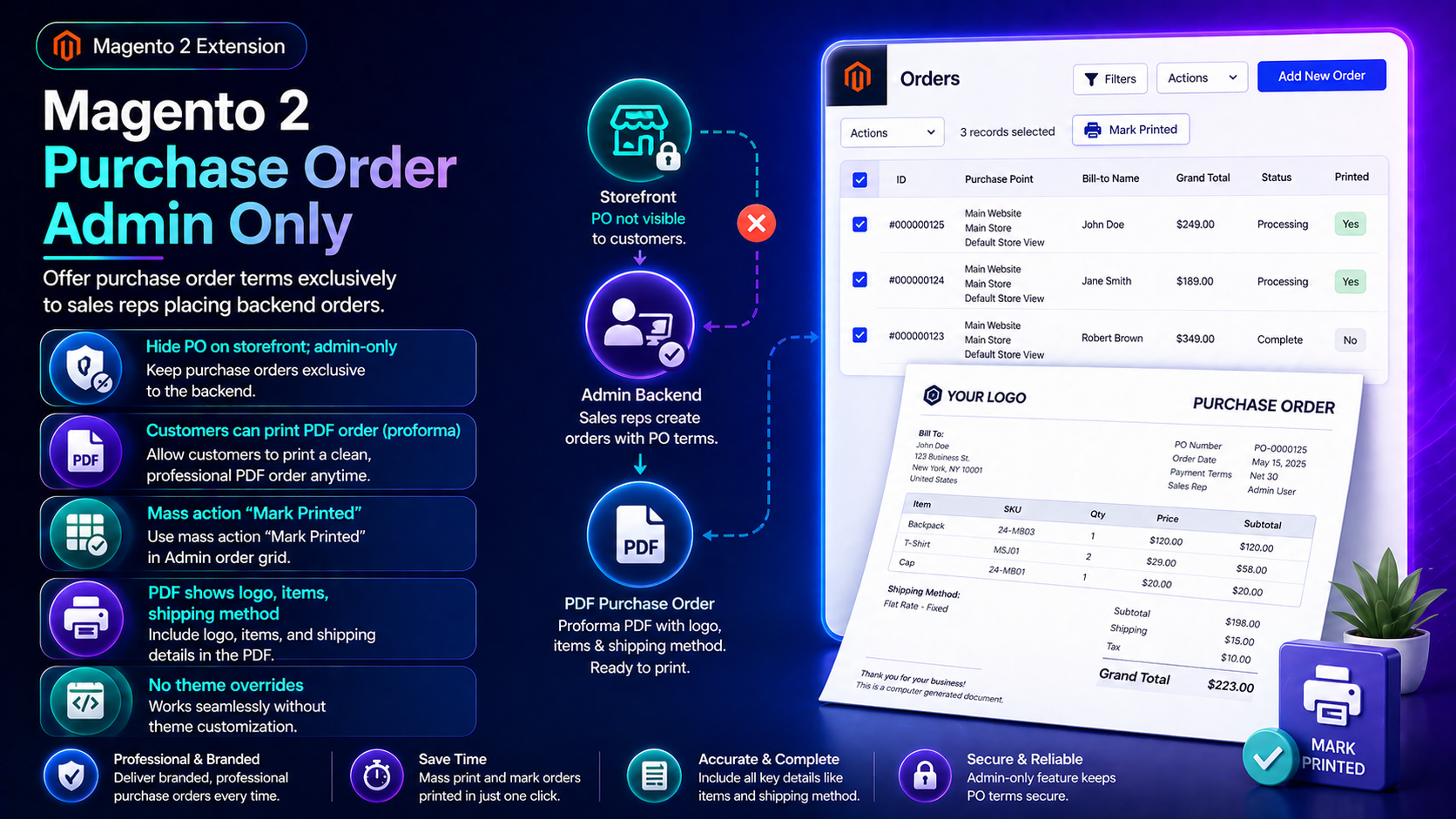
For deep install screenshots and edge-case config, see the detailed wiki documentation. Product details and add-to-cart live on the Magento 2 Purchase Order Admin Only page.
Table of Contents
Why PO Should Stay Off the Storefront
Native Magento PO payment is easy to expose to the wrong audience:
- Storefront clutter — retail customers see PO and create unpaid noise
- Missing PO metadata — company name / reference fields not captured consistently
- Sales-rep workflows — phone/email orders need backend PO without frontend risk
What This Extension Solves
The Purchase Order Admin Only extension offers PO terms exclusively for sales reps placing backend orders.
- Enable PO for admin orders while hiding it from storefront checkout
- Collect PO numbers, company names, and reference fields
- Cleaner B2B phone-order workflow
- Works alongside standard Magento payment methods online
Key Features
- Admin-only Purchase Order payment method
- PO metadata capture
- Simple Magento admin configuration
- Magento 2.4.x compatible
System Requirements
- Magento 2.4.x + PHP 8.1–8.3
- Sales roles that create admin orders
General Composer install steps for Towering Media modules: Installation guide.
Installation Overview
Step 1: Authenticate Composer
Add your Towering Media credentials to auth.json in the Magento root (same pattern as other Towering Media extensions).
Step 2: Require the package
composer require toweringmedia/module-purchase-order-admin-onlyRun this from your Magento root with your Towering Media Composer credentials in place.
Step 3: Enable and upgrade
php bin/magento setup:upgrade
php bin/magento setup:di:compile
php bin/magento setup:static-content:deploy -f
php bin/magento cache:flush
Enable the module(s) listed in the package module.xml / wiki if your package uses explicit module:enable. Production stores should follow your normal deploy process. Need help? Contact Towering Media or browse Magento 2 Extensions.
Configure in Admin
- Enable the payment method in admin configuration.
- Confirm storefront checkout does not list PO.
- Create an admin order and select Purchase Order.
- Enter PO number / company fields and place order.
- Verify order payment info and invoices show PO data.
Validation Checklist
- Storefront guest/customer checkout has no PO method.
- Admin order can place with PO and required fields.
- Emails/PDFs include PO number if templates support it.
Troubleshooting
- PO visible on storefront: re-check method settings + cache + FPC.
- Fields missing: confirm module output on admin order create form.
Frequently Asked Questions
Can customers use PO online?
Not with this extension by design—admin only.
Adobe Commerce B2B?
This targets Magento admin PO workflows; evaluate Adobe B2B features separately if you need full company hierarchies.
Related Extensions & Resources
Also useful: Installation · All Magento 2 extensions · Contact support.
Want our Magento team to handle it?
Towering Media installs, configures, and customizes Purchase Order Admin Only for Magento 2 stores — along with payment gateway setup, checkout customization, and React or one-page checkout builds.
Keep PO terms in the admin
Give sales reps purchase-order checkout without exposing it to retail shoppers.