
Magento 2 Print Invoice User Guide
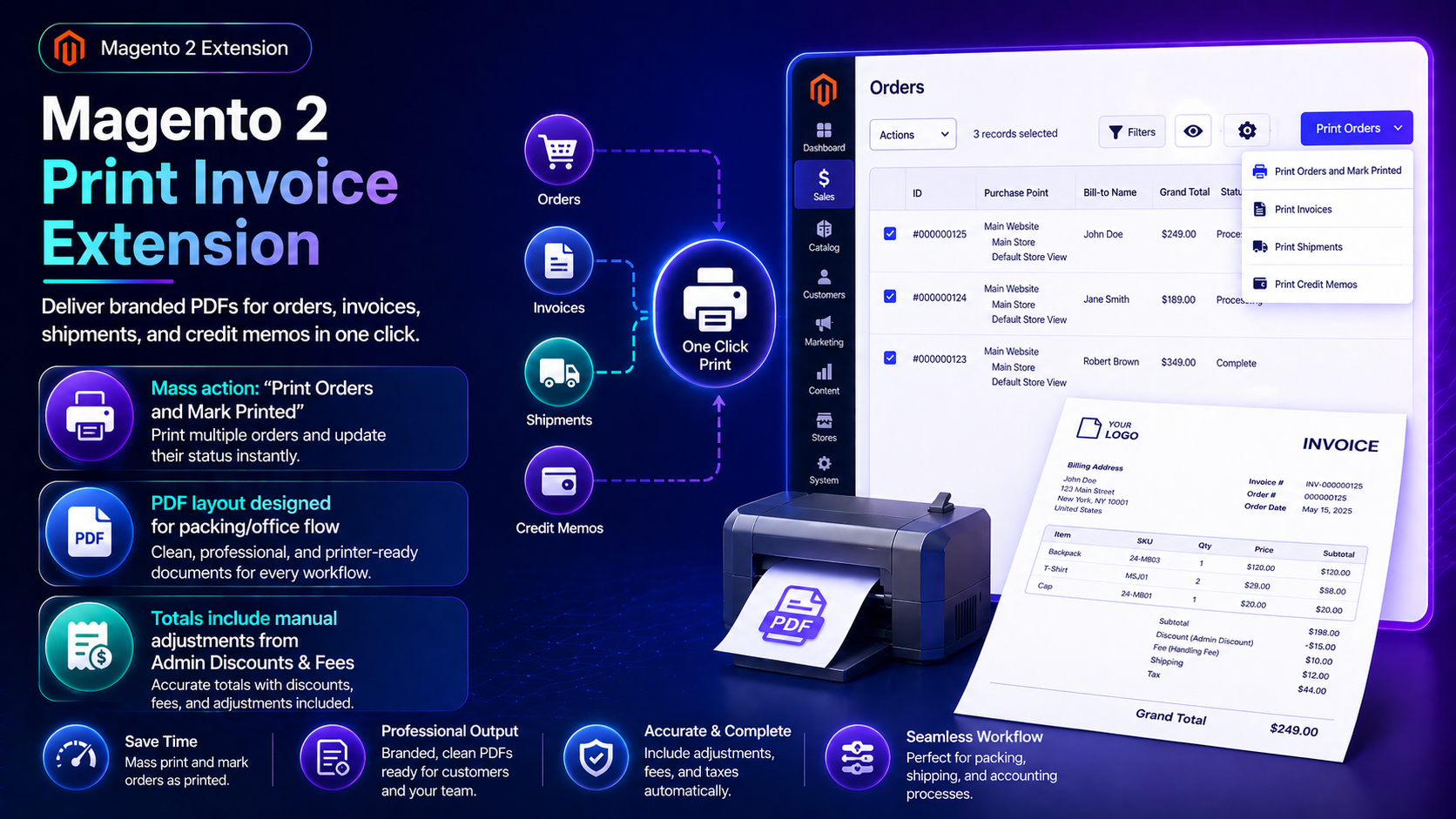
Customers and warehouse staff judge professionalism from the PDF. This guide covers Magento 2 Print Order / Invoice ($79): branded PDFs for orders, invoices, shipments, and credit memos.
For deep install screenshots and edge-case config, see the detailed wiki documentation. Product details and add-to-cart live on the Magento2 Print Order Extension page.
Table of Contents
Why Default Magento Prints Feel Generic
Stock Magento printouts often look unfinished:
- Weak branding — logo/legal copy inconsistent
- Fragmented printing — staff want one-click docs from grids and customer accounts
- Support tickets — “can you resend a nicer invoice?”
What This Extension Solves
The Print Order Extension delivers branded PDFs in one click.
- Apply logo, colors, and legal copy to printed documents
- Print from admin sales grids or customer account dashboards
- Cover orders, invoices, shipments, and credit memos
- Professional formatting for CS and warehouse packets
Key Features
- Enhanced invoice/order printing
- Brandable templates
- Admin + customer print entry points
- Magento 2.4.x compatible
System Requirements
- Magento 2.4.x + PHP 8.1–8.3
- Logo/brand assets ready for PDF headers
General Composer install steps for Towering Media modules: Installation guide.
Installation Overview
Step 1: Authenticate Composer
Add your Towering Media credentials to auth.json in the Magento root (same pattern as other Towering Media extensions).
Step 2: Require the package
composer require toweringmedia/module-print-invoiceRun this from your Magento root with your Towering Media Composer credentials in place.
Step 3: Enable and upgrade
php bin/magento setup:upgrade
php bin/magento setup:di:compile
php bin/magento setup:static-content:deploy -f
php bin/magento cache:flush
Enable the module(s) listed in the package module.xml / wiki if your package uses explicit module:enable. Production stores should follow your normal deploy process. Need help? Contact Towering Media or browse Magento 2 Extensions.
Configure in Admin
- Install/enable the Print Invoice package.
- Upload logo and set template/branding options.
- Print a sample invoice and shipment from admin.
- Verify customer-account print permissions.
- Adjust legal footer copy for your jurisdiction.
Validation Checklist
- Admin print produces expected branding.
- Customer account print works for allowed document types.
- Credit memos/shipments render without truncated tables.
Troubleshooting
- Blank PDF: check PHP memory and PDF library logs.
- Logo missing: path/permissions on media logo.
Frequently Asked Questions
Does this replace Magento invoice emails?
It improves print/PDF output; email delivery still depends on Magento + SMTP.
Custom fields?
If you use Custom Ship / fees, confirm templates include those attributes.
Related Extensions & Resources
Also useful: Installation · All Magento 2 extensions · Contact support.
Want our Magento team to handle it?
Towering Media installs, configures, and customizes Print Invoice for Magento 2 stores — along with ongoing Magento maintenance, admin tooling, email deliverability, and reporting.
Print invoices that look on-brand
Ship professional PDFs from admin and customer accounts.