
Magento 2 QuickBooks Online Connector
See Magento 2 QuickBooks Online Connector in action
A short walkthrough of the storefront and admin, built from real screenshots.
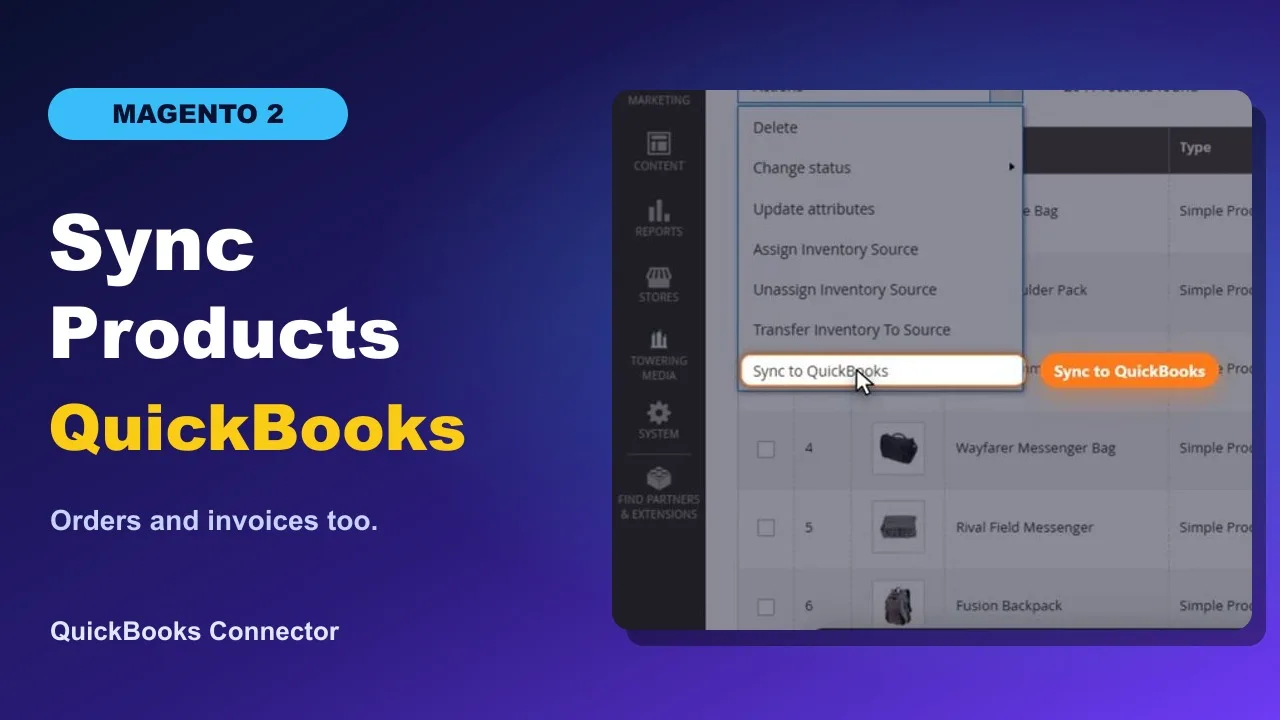
- Two-Way Data Sync Customers, products, and inventory can sync from Magento to QuickBooks, from QuickBooks to Magento, or both.
- Automated Sales Export Export Magento orders, invoices, payments, refunds, and credit memos to QuickBooks Online.
- Flexible Mapping Configure tax codes, accounts, payment methods, and field mappings to match your accounting setup.
- Reliable & Transparent Background processing, detailed logs, retry tools, and conflict handling help keep synchronization under control.
Magento 2 QuickBooks Extension – Automate Your Accounting
The Towering Media Magento 2 QuickBooks Extension connects Magento Open Source and Adobe Commerce with QuickBooks Online to automate accounting workflows and reduce manual data entry. Synchronize customers, products, inventory, orders, invoices, payments, refunds, and credit memos while keeping your ecommerce operations connected to your accounting software.
Built specifically for Magento 2, the connector supports automated synchronization, configurable field mapping, flexible inventory management, and detailed synchronization logs. Choose which data to synchronize, configure how records are mapped, and control how transactions are recorded in QuickBooks Online.
Also on the Adobe Commerce Marketplace - Magento 2 Quickbooks Online Connector
Magento 2 Customer Synchronization
Export registered Magento customers and guest checkout customer information to QuickBooks Online. You can also import existing QuickBooks Online customers into Magento through a separate import process.
Configure how existing Magento customer records are handled during imports using the available conflict policies: Skip If Exists or QuickBooks Wins. This helps manage customer information across both systems without manually recreating every record.
Magento 2 Product Synchronization
Export Magento catalog products to QuickBooks Online as accounting items, or import QuickBooks Online items into Magento using a separate import process.
The connector supports simple, virtual, and service products, including configurable products and their associated variants. Configurable products are exported as separate QuickBooks items rather than native QuickBooks group items. Bundle and grouped products follow the configured export strategy and may be skipped or flattened instead of being synchronized as composite items.
Product mappings associate Magento products with their corresponding QuickBooks items, helping maintain consistent accounting references during synchronization.
Two-Way Magento 2 QuickBooks Online Inventory Synchronization
Keep inventory quantities aligned between Magento 2 and QuickBooks Online without manually updating both systems. Configure inventory synchronization according to your business workflow:
- Magento to QuickBooks Online: Export Magento inventory quantities to QuickBooks.
- QuickBooks Online to Magento: Import inventory quantities from QuickBooks into Magento.
- Both directions: Enable inventory synchronization between the two systems.
Inventory synchronization applies to supported, mapped inventory items. Choose the appropriate direction based on which system manages your stock.
Automatic Magento Orders and QuickBooks Invoice Synchronization
Reduce repetitive bookkeeping by automatically exporting Magento sales transactions to QuickBooks Online. The connector supports configurable synchronization rules and two invoice export workflows:
- Per-order export: Create a QuickBooks accounting document for each Magento order.
- Magento invoice export: Export individual Magento invoices to QuickBooks Online, including partial invoices when orders are invoiced in stages.
Synchronization can be triggered by configured Magento events or processed through scheduled background jobs. Supported records can also be manually queued for synchronization, including existing orders.
QuickBooks Payment, Tax, Shipping, and Discount Mapping
Transfer important accounting details from Magento sales transactions into QuickBooks Online. The connector supports product-to-item mapping, shipping charges, discount lines, tax-code mapping, and payment-method deposit account mapping.
Merchants can configure a fallback QuickBooks item when individual Magento catalog products are not mapped. The extension also supports fixed-price and dynamic-price bundle accounting, helping preserve appropriate invoice line and tax information.
Magento Refunds and Credit Memo Synchronization
Export Magento credit memos and refunds to QuickBooks Online to reflect refunded transactions in your accounting records.
When Magento invoice export mode is enabled, a credit memo can be linked to the corresponding QuickBooks invoice for the Magento invoice being refunded.
Important: Orders, invoices, payments, refunds, and credit memos synchronize from Magento to QuickBooks Online only. These sales transactions are not imported back into Magento.
How the Magento 2 QuickBooks Online Integration Works
1. Connect Magento to QuickBooks Online Securely
Connect your Magento store to your QuickBooks Online company through Intuit OAuth 2.0 authentication. The extension supports QuickBooks Online sandbox and production environments, allowing you to test your integration before enabling live accounting synchronization.
Authentication tokens are stored securely using Magento's encryption services.
2. Configure Data Mapping and Synchronization Rules
Choose which records to synchronize, including customers, products, inventory, orders, invoices, and related accounting transactions. Configure supported field mappings, tax settings, payment deposit accounts, inventory synchronization direction, and scheduling rules to fit your workflow.
For inbound customer and product imports, select Skip If Exists or QuickBooks Wins to control how existing Magento records are handled.
3. Automate Magento QuickBooks Synchronization
The Magento 2 QuickBooks Online Connector uses background queues and Magento cron to process synchronization operations without requiring repetitive manual exports.
Enable supported automatic synchronization triggers for customer updates, product changes, inventory adjustments, order status changes, invoices, and credit memos. Scheduled processing and bulk synchronization tools also help manage larger groups of records.
4. Monitor Sync Activity and Retry Failed Operations
Monitor synchronization activity directly from Magento Admin through the Sync Operation Logs. Review completed and failed operations, investigate errors, and retry eligible failed jobs after resolving configuration or accounting-data issues.
The extension also includes retry handling, interrupted-job recovery, connection diagnostics, and CLI commands for technical administrators to enqueue synchronization operations and check their status.
5. Manage Your Magento and QuickBooks Accounting Workflow
Once configured, Towering Media's QuickBooks Online Connector helps reduce repetitive accounting tasks while giving your team control over how ecommerce transactions are synchronized.
With customer and product imports, configurable inventory synchronization, detailed sales transaction exports, and operation monitoring, this Magento 2 QuickBooks integration provides a flexible accounting workflow for businesses using QuickBooks Online.
Features
- Customer export and import Export Magento customers to QuickBooks Online, and import QuickBooks customers with a separate import.
- Product export and import Export simple, virtual, downloadable, and configurable items. Configurable products export as separate items. Bundle and grouped products skip or flatten.
- Inventory export, import, or both Sync inventory quantities out of Magento, in from QuickBooks Online, or both.
- Orders, payments, refunds, and credit memos Export these from Magento to QuickBooks Online. They are not imported back into Magento.
- Intuit OAuth Connect sandbox or production with Intuit OAuth.
- Choose entities and schedule Choose what syncs and when the schedule runs.
- Queues, logs, and retry Queue processing with cron, operation logs, and retry for failed jobs.
- CLI Enqueue work and check sync status from the command line.
Docs & Support
Install and configure the connector with the user guide. The DokuWiki page is the technical manual.
Reviews
Frequently Asked Questions
How do I connect Magento 2 to QuickBooks Online?
Towering Media's QuickBooks Online Connector connects Magento 2 directly to QuickBooks Online using Intuit's secure OAuth 2.0 authentication. After installing the extension, configure your Intuit app credentials, authorize your QuickBooks company, and select the data you want to synchronize. The connector supports sandbox testing before you enable synchronization with your live QuickBooks account.
What data can be synchronized between Magento 2 and QuickBooks Online?
The connector synchronizes customers, products, inventory, orders, invoices, payments, refunds, and credit memos. Customers, products, and inventory support two-way synchronization between Magento and QuickBooks Online. Sales transactions, including orders, invoices, payments, and refunds, are exported from Magento to QuickBooks. You can enable the synchronization options your business needs.
Will Magento 2 orders automatically create invoices in QuickBooks Online?
Yes. The connector can automatically export Magento orders as QuickBooks Online invoices based on configured order statuses and synchronization settings. It also supports Magento invoice and payment workflows, including partial invoices. You can run synchronization manually from Magento Admin or use background processing to automate your daily accounting workflow.
Can I synchronize inventory in both directions between Magento 2 and QuickBooks Online?
Yes. Inventory synchronization can run from Magento to QuickBooks Online, from QuickBooks Online to Magento, or in both directions. This lets you choose which system manages inventory updates. QuickBooks inventory tracking is available with supported QuickBooks Online plans, including Plus and Advanced. Inventory tracking may also be available through an add-on for certain other plans.
How does the connector handle taxes, shipping, discounts, payments, and refunds?
The connector exports accounting details from Magento orders to QuickBooks Online, including product line items, shipping charges, discounts, and tax information. It supports tax-code mapping, payment-method-to-deposit-account mapping, and the export of payments, refunds, and credit memos. These settings help keep QuickBooks transactions consistent with your Magento sales records.
Can I sync historical Magento orders and existing QuickBooks records without creating duplicates?
Yes. You can manually queue existing Magento customers, products, and orders for synchronization, making it possible to transfer records created before installing the connector. The extension uses entity mappings and idempotency controls to manage repeat synchronization attempts. If your QuickBooks company already contains customer, product, or transaction records, review the mappings and test a small batch before running a full historical sync.
Does the QuickBooks connector support guest checkout, configurable products, and bundles?
Yes. The connector supports Magento guest orders and product types including simple, virtual, service, configurable, bundle, and grouped products. Configurable products can include parent and variant records. Bundle and grouped products have configurable export strategies, and their accounting representation depends on the product structure and pricing configuration. Review bundle invoice output during setup if your catalog uses these product types.
What happens if synchronization between Magento and QuickBooks Online fails?
The connector records synchronization operations and errors in Magento Admin, so you can identify failed records and investigate the cause. It includes background queues, retry handling, operation logs, and recovery tools for interrupted jobs. After correcting a connection or mapping issue, you can retry eligible failed operations without manually rebuilding the entire export.
Is the connector compatible with Magento Open Source, Adobe Commerce, and Hyvä?
Yes. Towering Media's QuickBooks Online Connector supports Magento Open Source and Adobe Commerce on supported Magento 2.4 versions. It also works with Hyvä storefronts because its accounting synchronization runs through Magento's backend rather than replacing storefront or checkout templates. Check the current technical requirements for the exact Magento and PHP versions supported by your extension release.
Did Intuit discontinue its Magento QuickBooks integration, and what can I use instead?
Yes. Intuit discontinued support for its Magento e-commerce integration on June 30, 2025. Towering Media's QuickBooks Online Connector is an independent third-party alternative that connects Magento 2 to QuickBooks Online using Intuit's APIs. It supports automated synchronization of customers, products, inventory, and sales transactions. Existing integrations do not migrate automatically; the new connection and data mappings need to be configured and tested.
Technical Specifications
- QuickBooks: QuickBooks Online
- Authentication: Intuit OAuth, sandbox or production
- Customers: Export from Magento, plus a separate QuickBooks customer import
- Products: Export catalog items, plus a separate product import. Configurable products export as separate items. Bundle and grouped products are skipped or flattened.
- Product types: Simple, virtual, downloadable, and configurable. Bundle and grouped use skip or flatten.
- Inventory: Export, import, or both
- Orders, payments, refunds, and credit memos: Magento to QuickBooks Online only
- Operations: Queues, cron, logs, retry, and CLI
- Module dependency: Requires Toweringmedia Base (toweringmedia/module-base)
Magento 2 Compatibility and Requirements
Works with Magento Open Source and Adobe Commerce on Magento 2.4, and with Hyvä storefronts. Accounting sync runs through QuickBooks Online.
-
 Magento 2.4
Open Source & Adobe Commerce
Magento 2.4
Open Source & Adobe Commerce
 Updates & supportKeep your store running smoothly
Magento 2 QuickBooks Online Connector. Orders, payments, refunds, and credit memos export to QuickBooks Online.