
Magento 2 Product Image Gallery User Guide
Default Magento galleries often feel dated—weak hover zoom, awkward fullscreen, and clunky mobile swipe. This guide shows how Towering Media Product Image Gallery ($199) replaces the PDP media gallery with a Hyvä-friendly Alpine.js experience.
Product details: Magento 2 Product Image Gallery. Installation · Contact.
Table of Contents
Why Default Galleries Fall Short
On image-led catalogs, the PDP gallery is the product. Shoppers expect fast zoom, clean fullscreen, mobile swipe, and video in the same gallery.
- Low detail inspection
- Weak fullscreen
- Heavy third-party zoom JS that can hurt Hyvä / CWV
What This Extension Solves
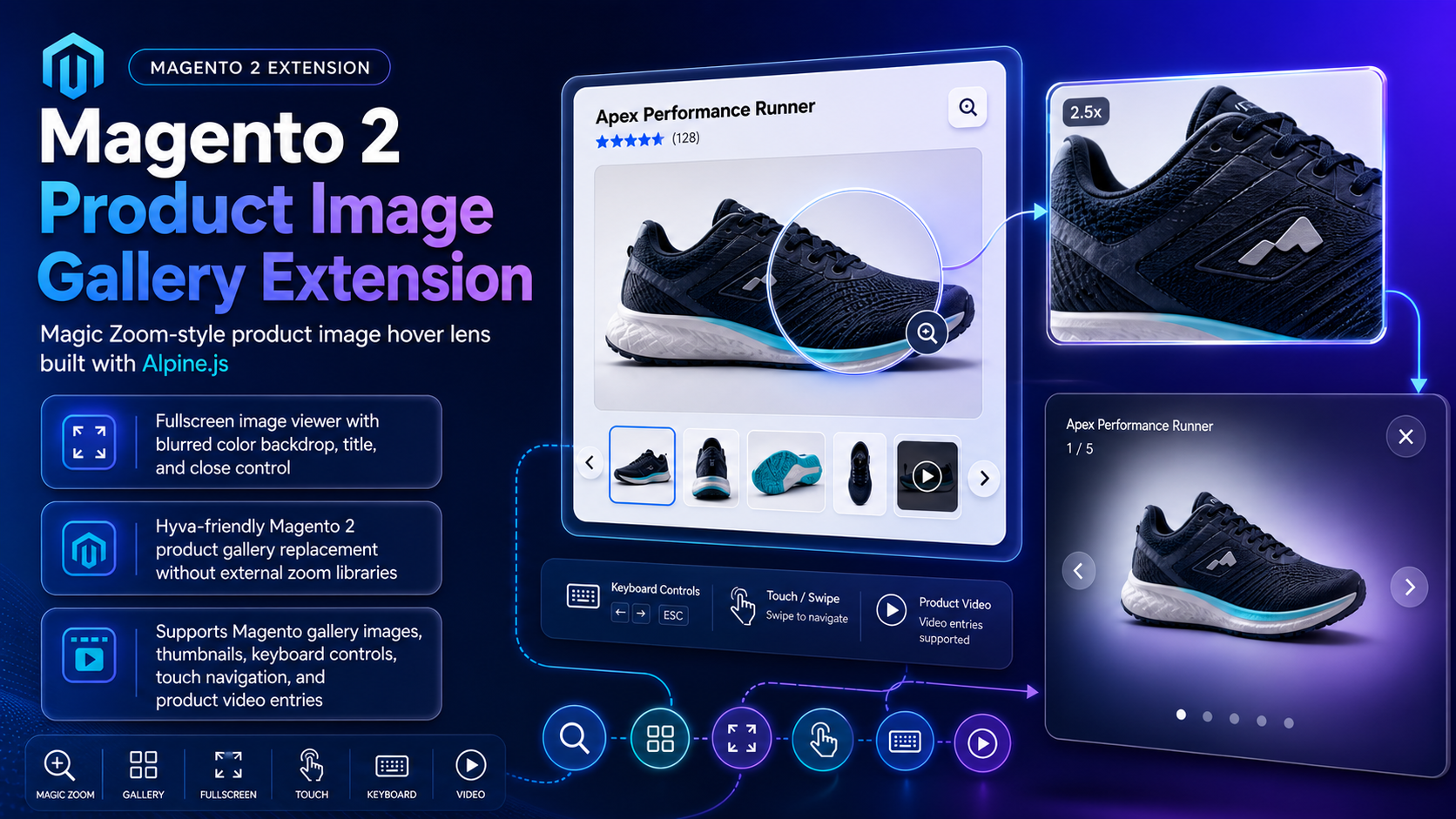
The Product Image Gallery replaces Magento’s default media gallery with hover lens, fullscreen backdrop, thumbnails, keyboard/touch, and product video.
Key Features
- Alpine.js gallery for Hyvä
- Desktop hover lens + zoom preview
- Fullscreen with blurred backdrop
- Thumbnails, prev/next, swipe
- YouTube / Vimeo gallery video
System Requirements
- Magento 2.4.x · PHP 8.1–8.4
- Catalog + Product Video modules
- Hyvä Alpine runtime · TM Composer credentials
Installation Overview
composer require toweringmedia/module-product-image-gallery:^1.0
php bin/magento module:enable Toweringmedia_ProductImageGallery
php bin/magento setup:upgrade
php bin/magento setup:di:compile
php bin/magento setup:static-content:deploy -f
php bin/magento cache:flushConfigure in Admin
- Stores → Configuration → Toweringmedia → Product Image Gallery
- Enable per store view; tune zoom/fullscreen/thumbnails
- Save, flush cache, retest a multi-image PDP
Storefront Behavior
- Desktop hover zoom
- Fullscreen viewer
- Thumbnails / keyboard / swipe
- Product video entries
Troubleshooting
- Still default gallery → enable config, flush caches, check conflicts
- Hyvä issues → confirm Alpine loads; check console
Frequently Asked Questions
Hyvä compatible?
Yes.
Product video?
Yes—YouTube and Vimeo.
Price?
$199 — product page.
Related Extensions & Resources
Want our Magento team to handle it?
Towering Media installs, configures, and customizes Product Image Gallery for Magento 2 stores — along with Hyvä theme development, storefront design, and front-end customization.
Get the Extension
Give shoppers a gallery worth staying on. Hover zoom, fullscreen, thumbnails, and video for Magento 2 and Hyvä.