
Magento 2 SMTP Extension
- Community




The Problem
- ✖ Default Magento email system is unreliable
- ✖ Emails often end up in spam
- ✖ No visibility or logging for failures
- ✖ Hard to integrate with modern providers
The Solution
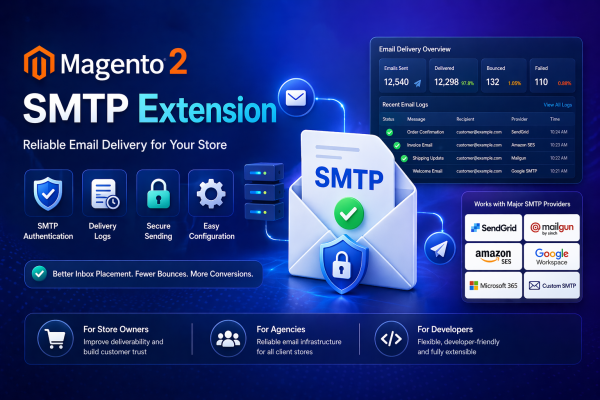
Toweringmedia SMTP Extension ensures dependable, authenticated email delivery with full control, debugging, and provider flexibility.
How It works
See It In Action
Magento 2 SMTP Extension
Stop Losing Orders to Email Delivery Failures. Configure SMTP in Minutes.
The Toweringmedia SMTP Extension for Magento 2 replaces the unreliable PHP mail() transport with a hardened, authenticated SMTP connection. Order confirmations, password resets, shipping notifications, and all other transactional emails reach inboxes—not spam folders—regardless of your hosting provider.
Connect any SMTP service in minutes: Gmail, G Suite, Outlook 365, SendGrid, Mailgun, Amazon SES, Zoho, or a self-hosted mail server. Supports both classic username/password auth and modern OAuth2/App Password methods so your store stays compliant as providers phase out legacy credentials.
Broad Provider Support
Any SMTP Server, Any Provider — One Admin Panel
Configure your SMTP host, port, encryption protocol (TLS or SSL), and credentials in a single Magento admin section at Stores → Configuration → Toweringmedia → SMTP. Pre-configured templates for popular providers fill in the technical fields automatically—choose Gmail from a dropdown and only the credentials remain to enter.
For Amazon SES users, the extension supports IAM key/secret auth alongside standard SMTP credentials. SendGrid and Mailgun API key authentication is also supported, so you can use their SMTP relay without managing dedicated IP whitelists on your own server.
- ✓ Gmail / Google Workspace (App Passwords + OAuth2)
- ✓ Microsoft Outlook / Microsoft 365
- ✓ Amazon SES (SMTP relay + IAM credential support)
- ✓ SendGrid, Mailgun, Postmark, SparkPost
- ✓ Zoho Mail, Yahoo Mail, custom SMTP servers
- ✓ Ports 25, 465, 587 — any custom port supported
Logging & Debugging
Diagnose Email Issues Without Touching a Server Log
Every outgoing email is captured in a built-in admin email log accessible at Marketing → SMTP → Email Log. Each log entry records the recipient, subject line, send timestamp, delivery status (sent / failed), the full body HTML, and any SMTP error message returned by the server.
When configuration problems occur, you see the exact SMTP handshake error—connection refused, authentication failed, TLS negotiation error—directly in the Magento admin. A Test Send button lets you verify credentials and routing to any recipient before going live, with no need for SSH access or reading raw mail logs.
- ✓ Full email log with subject, recipient, status & body
- ✓ Precise SMTP error messages — no vague failures
- ✓ Test Send to any address from admin
- ✓ Log retention period configurable (7–365 days)
- ✓ Manual log purge from admin UI
Multi-Store & Security
One Extension. Every Store View. Sender Reputation Protected.
Multi-store Magento installations can configure a separate SMTP server per store view—your EU store uses a regional SES endpoint while your US store routes through Gmail. Each store view can have independent sender name, reply-to address, and credentials.
Authenticated SMTP delivery significantly improves SPF, DKIM, and DMARC alignment because emails originate from a relay your domain explicitly authorizes. Combined with TLS encryption, this protects both message content in transit and your sender reputation with inbox providers.
- ✓ Per-store-view SMTP server configuration
- ✓ Per-store-view sender name & reply-to address
- ✓ TLS encryption in transit (STARTTLS & TLS)
- ✓ Improves SPF/DKIM/DMARC alignment
- ✓ Compatible with Hyvä, React Checkout Pro & all Magento email types
Compatibility & Technical Specs
Magento Version
2.4.4 – 2.4.7+ (Open Source & Adobe Commerce)
PHP
PHP 8.1, 8.2, 8.3
SMTP Ports
25, 465, 587, custom
Encryption
TLS (STARTTLS), SSL
Hyvä Compatible
Yes — no frontend JS required
Composer
toweringmedia/module-smtp
Works Great With
Frequently Asked Questions
Does the Magento 2 SMTP extension work with Gmail, SendGrid, and AWS SES?
Can I send a test email to verify configuration?
Does it support multiple store views with different SMTP configurations?
Is this SMTP extension compatible with Hyvä themes?
Does it log outgoing emails for debugging?
📘 Documentation
Get started quickly with our detailed user guide. The documentation covers everything from installation to advanced SMTP configuration.
- Step-by-step installation instructions
- SMTP setup with Gmail, Outlook, Amazon SES, and more
- Email testing and verification
- Error logging and debugging
- Configuration best practices for high deliverability
💬 Support
Need help? Our Magento experts are here to assist you with setup, configuration, and troubleshooting.
- Quick and reliable email support
- Help with installation and SMTP configuration
- Troubleshooting email delivery issues
- Guidance for third-party email providers
- Regular updates and compatibility support
The Magento 2 SMTP Extension allows your store to send emails through a trusted SMTP server instead of the default PHP mail function. This significantly improves email deliverability and reduces the chances of emails going to spam folders.
The extension supports a wide range of SMTP providers such as Gmail, Outlook, Amazon SES, and custom SMTP servers. You can easily configure host, port, authentication, and protocol settings directly from the Magento admin panel.
Yes, the extension includes a test email feature that allows you to verify your SMTP configuration before sending real emails. This helps ensure that your setup is correct and emails are delivered successfully.
Yes, it includes detailed email logging and debugging features. You can track all sent emails, check their status, and review content to troubleshoot issues or monitor communication with customers.
- Magento Version: Compatible with Magento 2.4.x (Open Source & Adobe Commerce)
- PHP Version: PHP 7.4, 8.1, 8.2, 8.3 compatible
- Framework: Built using Magento 2 native architecture (no core overrides)
- Installation Type: Composer / Manual installation supported
- Module Dependency: No additional dependencies required
- Email Protocol: SMTP (Simple Mail Transfer Protocol)
- Authentication: Username / Password authentication
- Encryption Support: SSL / TLS
- SMTP Providers: Gmail, Outlook, Amazon SES, SendGrid, Mailgun, and others
- Email Logging: Built-in email log and error tracking
- Multi-Store Support: Yes
- Store Scope Configuration: Website / Store View level
- Test Email Feature: Available from admin panel
- Queue Compatibility: Works with Magento email queue system
- Cron Support: Fully compatible with Magento cron jobs
- Admin Configuration Path: Stores → Configuration → Advanced → System → Mail Sending Settings
- Override Default Mail: Yes (replaces Magento default mail transport)
- Security: Supports secure authentication and encrypted communication
- Performance Impact: Minimal (lightweight implementation)