
Magento 2 Product Attachment User Guide
Shoppers need manuals and specs at the buying decision. Towering Media Product Attachment ($199) attaches files or external links and shows them on PDPs, categories, widgets, order details, and emails.
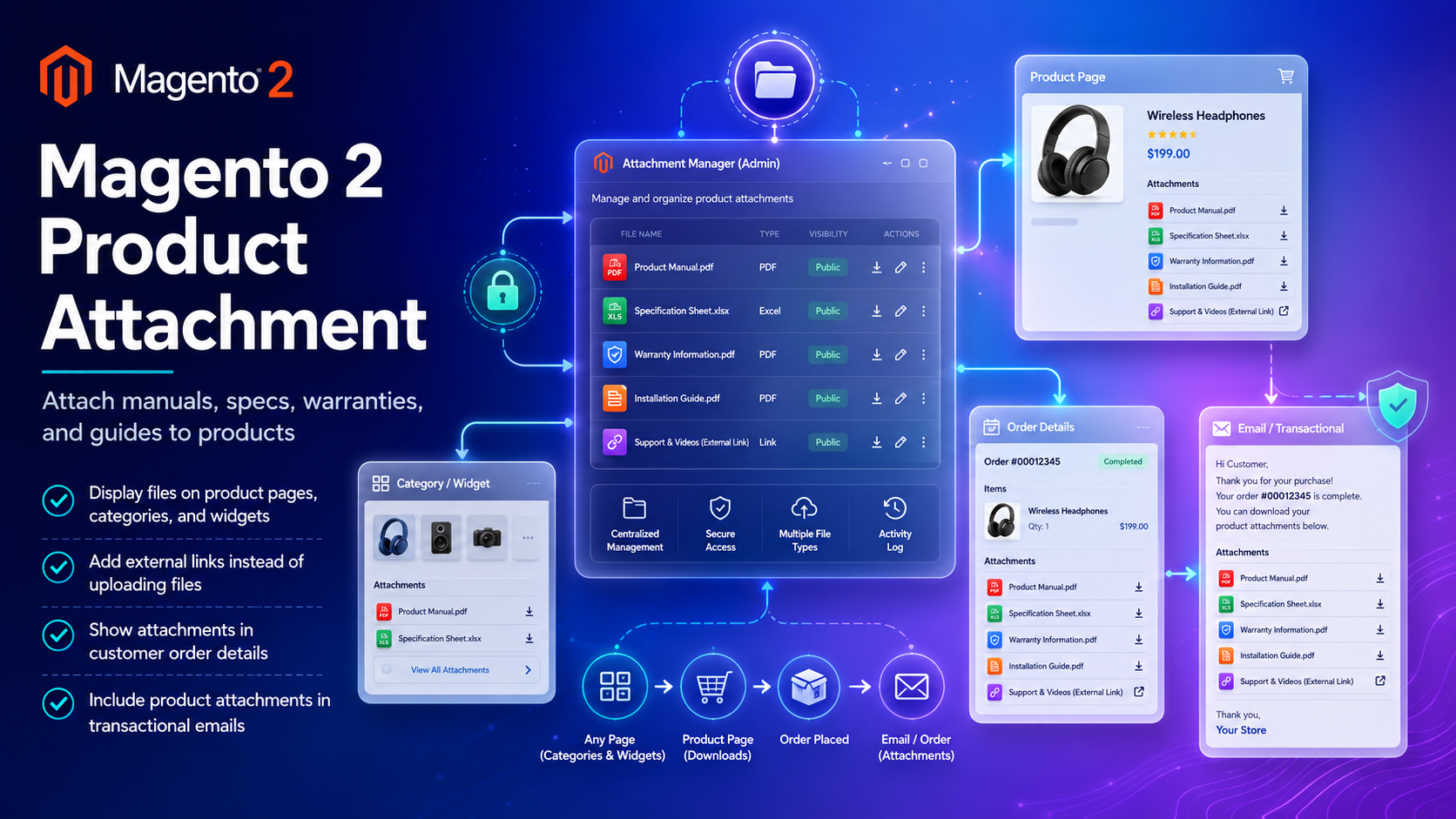
Product: Magento 2 Product Attachment. Installation · Contact.
toweringmedia/module-product-attachments (module Toweringmedia_ProductAttachments) — with an s. module-product-attachment does not exist. There is no separate Hyvä add-on package; this one package covers Hyvä and Luma. Copy the exact command from Installation Overview below.
Table of Contents
Why Product Files Get Lost
Manuals often live in Drive folders. Shoppers bounce when the PDF is not next to the product.
- Support tickets for “the install guide”
- No files in order emails
- Hard to manage icons and visibility at scale
What This Extension Solves
Product Attachment lets you upload files or link externally and display them on PDPs, categories, widgets, order details, and transactional emails.
Key Features
- Upload or external links
- PDP, category, widget display
- Order details + email inclusion
- Attachment + icon admin grids
System Requirements
- Magento 2.4.x · PHP 8.1–8.3
toweringmedia/module-base
Installation Overview
composer require toweringmedia/module-product-attachments:^0.1
php bin/magento module:enable Toweringmedia_ProductAttachments
php bin/magento setup:upgrade
php bin/magento cache:flush
Configure & Manage Attachments
- Stores → Configuration → Toweringmedia → Product Attachments
- Catalog → Product Attachments — create/assign
- Catalog → Attachment Icons
- Flush cache; verify PDP + test email
Where Attachments Appear
- PDPs / categories / widgets
- Customer order details
- Transactional emails (when enabled)
Troubleshooting
- Missing on PDP → assignment, enable, Hyvä package
- Missing in email → email settings + SMTP
Frequently Asked Questions
Link instead of upload?
Yes.
Hyvä?
Optional Hyvä add-on package.
Price?
$199.
Related Extensions & Resources
Want our Magento team to handle it?
Towering Media installs, configures, and customizes Product Attachment for Magento 2 stores — along with Hyvä theme development, storefront design, and front-end customization.
Get the Extension
Put the PDF where shoppers already are. Manuals, specs, and warranties on PDPs, orders, and emails.