
Magento 2 Multi Vendor Dropship Bundle User Guide
The Multi Vendor Dropship Bundle packages the core dropship engine with FedEx, USPS, and UPS carrier pieces so marketplace merchants can wire rates faster. This overview covers what you get, install order, and how to validate checkout.
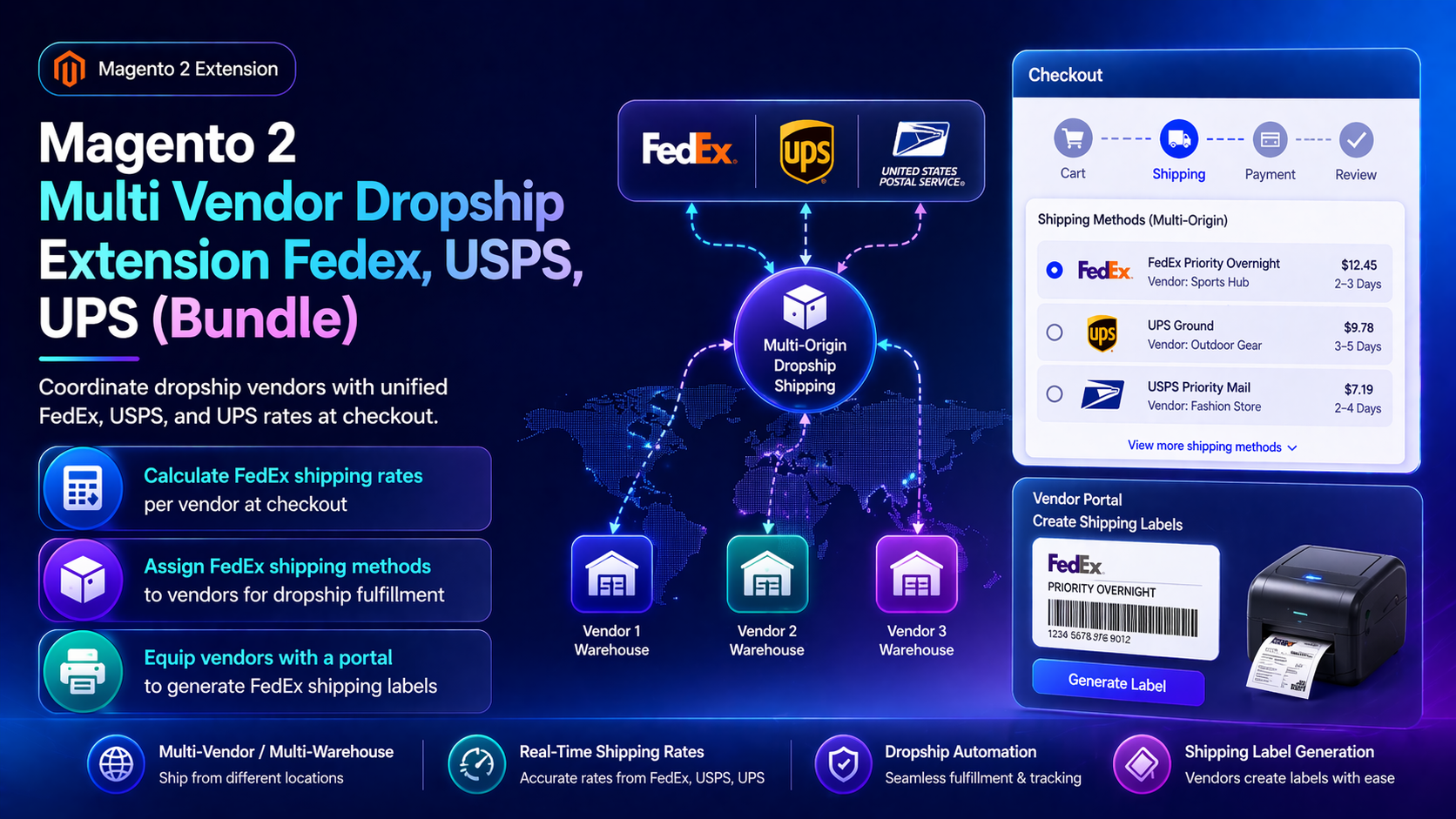
For deep install screenshots and edge-case config, see the detailed wiki documentation. Product details and add-to-cart live on the Magento 2 Multi Vendor Dropship Extension Fedex, USPS, UPS (Bundle) page.
Table of Contents
Why Merchants Buy the Bundle
Buying dropship and carriers separately is easy to mis-order:
- Missing dependencies — carrier addons without the core dropship engine
- Credential sprawl — three carriers configured before vendor origins exist
- Support friction — unclear which package owns a rate bug
What This Extension Solves
The Dropship Bundle gives you a complete multi-vendor shipping system for Magento 2.4 with FedEx, USPS, and UPS wiring in one purchase path.
- Core multi-vendor rate blending and warehouse origins
- Carrier integrations for FedEx, USPS, and UPS
- Shared install/validation path documented in wiki + this CMS guide
- Same checkout goals as the standalone dropship extension—packaged together
Key Features
- Bundle packaging for faster procurement
- Per-vendor origins and packaging rules
- Multi-carrier checkout rates
- Vendor-aware shipment splitting
System Requirements
- Magento 2.4.x + PHP 8.1–8.3
- Carrier API accounts for each enabled service
- Staging environment for first enablement
General Composer install steps for Towering Media modules: Installation guide.
Installation Overview
Step 1: Authenticate Composer
Add your Towering Media credentials to auth.json in the Magento root (same pattern as other Towering Media extensions).
Step 2: Require the package
composer require toweringmedia/module-multivendor-dropship
composer require toweringmedia/module-fedex-multivendor
composer require toweringmedia/module-usps-multivendor
composer require toweringmedia/module-ups-multivendor
Run this from your Magento root with your Towering Media Composer credentials in place.
Step 3: Enable and upgrade
php bin/magento setup:upgrade
php bin/magento setup:di:compile
php bin/magento setup:static-content:deploy -f
php bin/magento cache:flush
Enable the module(s) listed in the package module.xml / wiki if your package uses explicit module:enable. Production stores should follow your normal deploy process. Need help? Contact Towering Media or browse Magento 2 Extensions.
Configure in Admin
- Install all bundle packages via Composer / licensed archive.
- Enable core Multi Vendor Dropship first, then carrier addons.
- Configure vendors/warehouses, then carrier credentials.
- Run mixed-vendor carts per carrier and in combination.
- Review wiki pages for each included component if a carrier needs deeper OAuth setup.
Validation Checklist
- Bundle modules show as enabled in
bin/magento module:status. - Each carrier returns rates for a vendor-mapped product.
- Mixed carts still place orders with expected shipping totals.
Troubleshooting
- Addon rates missing: ensure core dropship is enabled and product-vendor maps exist.
- OAuth failures: follow that carrier’s wiki (UPS REST / FedEx / USPS) for token setup.
Frequently Asked Questions
Should I also buy standalone addons?
Usually no—the bundle is meant to include the carrier pieces. Compare the PDP contents if you already own some modules.
Where is deep carrier config?
Use the individual wiki/CMS guides for FedEx, UPS, and USPS addons plus UPS REST.
Related Extensions & Resources
Also useful: Installation · All Magento 2 extensions · Contact support.
Want our Magento team to handle it?
Towering Media installs, configures, and customizes Multi Vendor Dropship Bundle for Magento 2 stores — along with API integrations, accounting and CRM sync, and carrier or fulfillment connections.
See what the Dropship Bundle includes
Open the product page for current bundle contents and pricing, then install on staging first.