
Magento 2 Banner Slider Extension User Guide
Magento 2 Banner Slider Extension User Guide
Homepage heroes should be editable without a developer ticket. This guide covers the Towering Media Banner Slider ($139)—Hyvä & Luma compatible sliders with admin CRUD, mobile images, and CTA controls—plus install overview and FAQ.
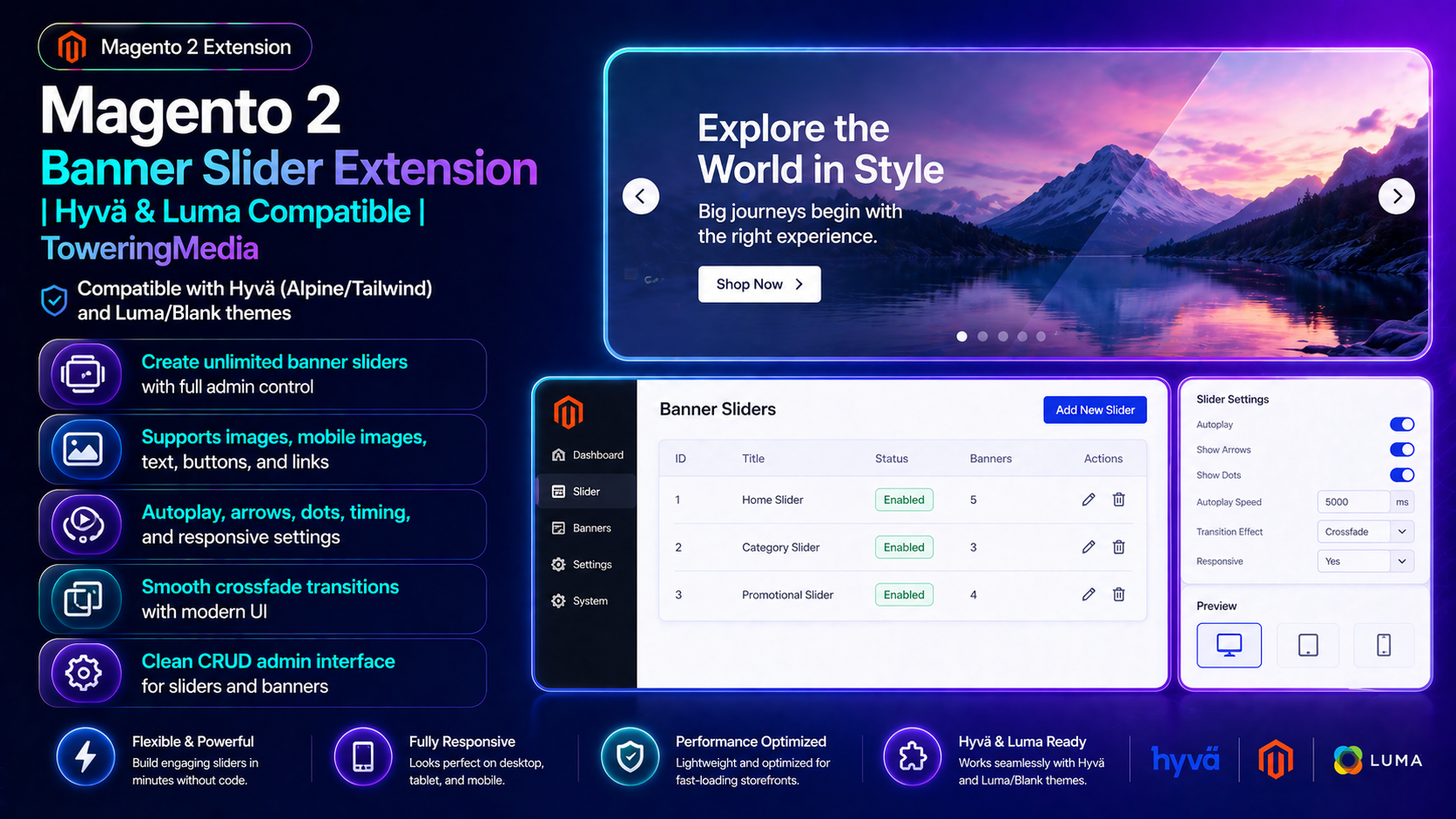
For deep configuration screenshots and edge cases, see the detailed wiki documentation. Product details and add-to-cart live on the Magento 2 Banner Slider Extension page.
Table of Contents
Why Banner Management Gets Messy
Static CMS HTML heroes break whenever marketing needs a new campaign:
- Dev bottleneck — every slide needs a deploy
- Mobile crops — one image fails both breakpoints
- Theme lock-in — Luma widgets fail on Hyvä
- No structure — timing, arrows, and CTAs are improvised
What This Extension Solves
The Banner Slider lets merchants manage unlimited sliders/banners in admin for Hyvä and Luma/Blank.
- Unlimited sliders with full admin control
- Desktop + mobile images, text, buttons, links
- Autoplay, arrows, dots, timing, responsive settings
- Crossfade transitions
- Clean CRUD for sliders and banners
Key Features
- Hyvä Alpine/Tailwind friendly
- Luma/Blank compatible
- Widget/block placement options (see wiki)
- Magento 2.4 compatible
System Requirements
- Magento 2.4.x
- Hyvä or Luma/Blank theme
- Writable media storage
- Towering Media Composer credentials
General Composer install steps for Towering Media modules: Installation guide.
Installation Overview
Step 1: Authenticate Composer
Add your Towering Media credentials to auth.json in the Magento root (same pattern as other Towering Media extensions).
Step 2: Require the package
composer require toweringmedia/module-banner-sliderStep 3: Enable and upgrade
php bin/magento module:enable Toweringmedia_BannerSlider
php bin/magento setup:upgrade
php bin/magento setup:di:compile
php bin/magento setup:static-content:deploy -f
php bin/magento cache:flush
Exact module enable name may match your package’s registration.php / module.xml—confirm in the package after install. Production stores should follow your normal deploy process.
Need help installing? Contact Towering Media or browse more modules in Magento 2 Extensions.
Create Sliders & Banners
- Enable the module after install.
- Open Banner Slider admin; create a Slider.
- Add Banners: desktop image, optional mobile image, text/CTA.
- Configure autoplay/arrows/dots.
- Place via widget/block per wiki; Save; flush cache.
Validate Desktop & Mobile
Check both breakpoints:
- Slider renders on the target CMS/homepage
- Mobile image swaps correctly
- CTA links work
- No Alpine/console errors on Hyvä
Troubleshooting
Slider missing on page
- Confirm placement widget/block ID
- Flush FPC / Magento cache
- Verify slider enabled
Hyvä layout issues
- Confirm Hyvä templates enabled
- Redeploy static content
Frequently Asked Questions
Hyvä and Luma?
Yes—designed for both.
Deep docs?
Price?
$139 on the product page.
Related Extensions & Resources
Want our Magento team to handle it?
Towering Media installs, configures, and customizes the Banner Slider for Magento 2 stores — along with Hyvä theme development, storefront design, and front-end customization.
Get the Extension
Give marketing editable Hyvä/Luma banner sliders—without waiting on a deploy for every campaign.
Prefer screenshots and deep steps? Open the full wiki guide.