
Magento 2 Google Shopping Feed User Guide
Google Merchant Center rejects incomplete Magento feeds. This guide shows how the Magento 2 Google Shopping Feed Extension ($199) maps attributes, validates output, and schedules compliant feeds—plus install overview, configuration, troubleshooting, and FAQ. Deep wiki docs stay available for step detail.
For screenshot-heavy / deep technical steps, see the detailed wiki documentation. Product details and add-to-cart live on the Magento 2 Google Shopping Feed Extension page. Browse more modules in Magento 2 Extensions.
Table of Contents
Why Magento Feeds Fail Merchant Center
Hand-built CSV/XML exports rarely stay compliant as Google’s product schema evolves:
- Missing required fields — GTIN, brand, condition, availability gaps cause disapprovals
- Configurable chaos — variants lack parent URLs / item grouping
- Stale inventory — feeds are regenerated manually (or not at all)
- Blind uploads — no validation before Merchant Center rejects thousands of SKUs
What This Extension Solves
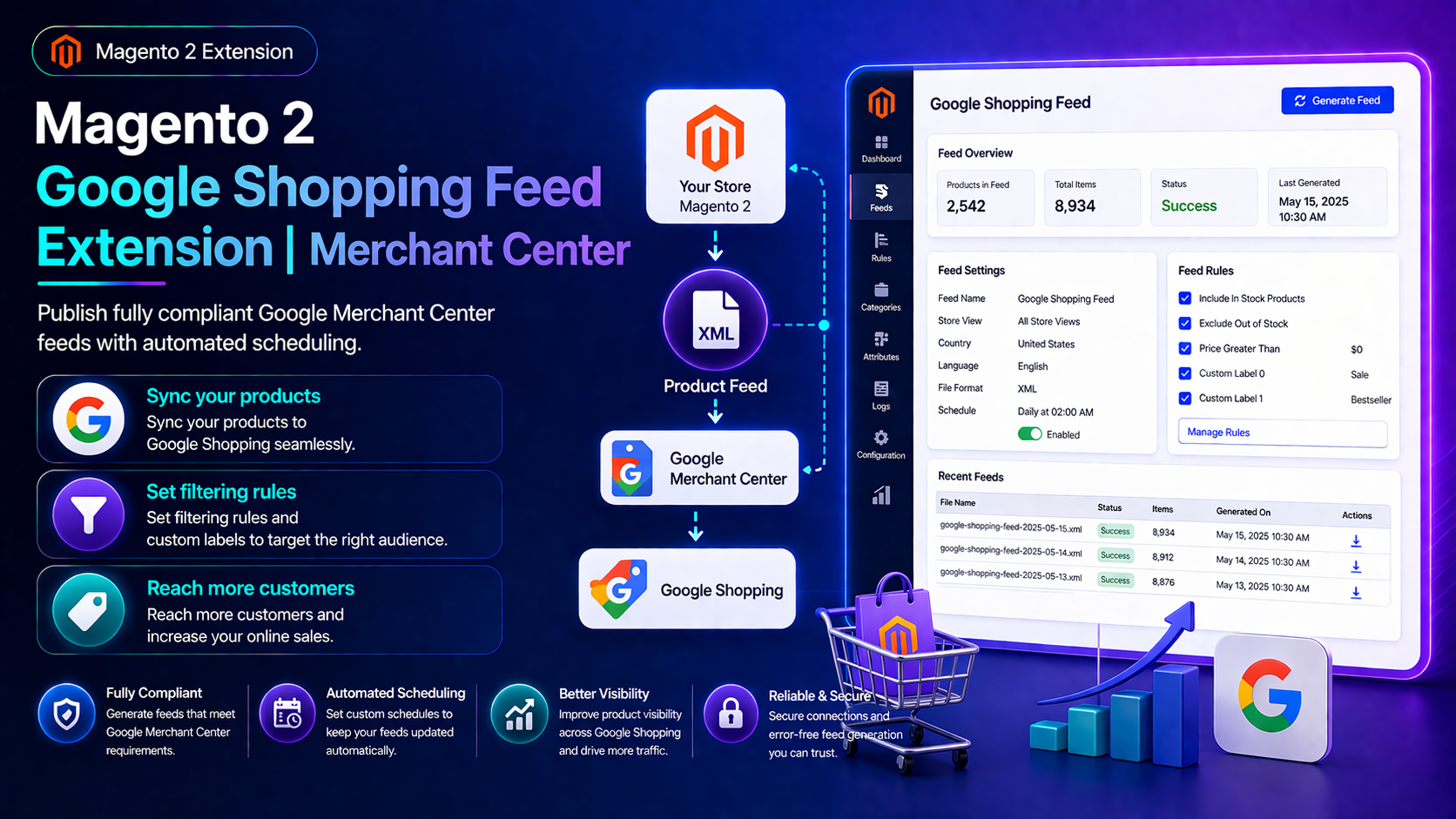
The Magento 2 Google Shopping Feed Extension publishes fully compliant Google Merchant Center feeds with automated scheduling, attribute mapping, and validation.
- Map Magento attributes to Google product schema using presets or custom rules
- Produce supplemental feeds for promotions, sale pricing, and inventory
- Validate feed output with warnings before pushing to Merchant Center
- Automate uploads via SFTP, Content API, or downloadable URLs
- Multiple templates with individual cron schedules
- Configurable variant export with parent URLs and item grouping
Key Features
- XML / CSV / TXT style outputs (per module capabilities)
- Conditional product filters per template
- Scheduled generation per feed
- Merchant Center-oriented field mapping
- Open Source & Adobe Commerce Magento 2.4.x
System Requirements
- Magento: 2.4.4 – 2.4.7+ (Open Source & Adobe Commerce)
- PHP: 8.1, 8.2, or 8.3
- Towering Media Composer repository credentials
- A Google Merchant Center account (and SFTP/Content API access if using automated upload)
General Composer install steps: Installation guide.
Installation Overview
Step 1: Authenticate Composer
Add your Towering Media credentials to auth.json in the Magento root (same pattern as other Towering Media extensions).
Step 2: Require the package
composer require toweringmedia/module-google-shopping-feedStep 3: Enable and upgrade
php bin/magento module:enable Toweringmedia_GoogleShoppingFeed
php bin/magento setup:upgrade
php bin/magento setup:di:compile
php bin/magento setup:static-content:deploy -f
php bin/magento cache:flush
Exact module enable name may match your package’s registration.php/module.xml—confirm in the package after install. Production stores should follow your normal deploy process.
Map Attributes & Build Feeds
Create a feed template and map Magento attributes to Google fields:
- Log in to Magento Admin.
- Open the Google Shopping Feed / Toweringmedia feed management menu.
- Create a template for your target Merchant Center destination.
- Map required Google fields (id, title, description, link, image, price, availability, brand, etc.).
- Add filters so only eligible in-stock products export.
- Save, generate a sample feed, and review validation warnings before go-live.
Schedule, Validate & Upload
Enable cron schedules per template, review warnings after each run, and push via SFTP, Content API, or a secured download URL depending on your Merchant Center setup.
- Re-check mapping after major attribute migrations
- Pair with Google Tag Manager so Shopping traffic converts with clean GA4 events
- Use Import/Export when bulk fixing missing GTINs or brands
Troubleshooting
Merchant Center disapprovals
- Open the module validation warnings for the last generated feed
- Confirm GTIN/brand/condition rules for your product types
- Ensure image and product URLs are publicly reachable
Feed not regenerating
- Confirm Magento cron is running
- Check per-template schedule settings
- Inspect Magento logs for generation exceptions
Still stuck? Contact support with the exact admin error text or log snippet (never paste API secrets or private keys in plain email).
Frequently Asked Questions
Where is the deepest documentation?
This CMS page is the shopper-friendly overview. The product User Guide points to the wiki.
Does it support configurable variants?
Yes—variant export with parent URLs and item grouping is part of the feature set.
How much does it cost?
$199 — see the product page for current pricing.
Is it Hyvä compatible?
Yes. Feed generation is backend; it does not depend on Luma templates.
Related Extensions & Resources
Want our Magento team to handle it?
Towering Media installs, configures, and customizes Google Shopping Feed for Magento 2 stores — along with product feeds, conversion tracking, and paid and organic campaign setup.
Get the Extension
Ship Merchant Center-ready Magento feeds. Map attributes once, validate before upload, and schedule compliant Google Shopping feeds automatically.
Prefer the wiki? Open the full documentation.